


From MRI files to a clearer explanation
Can ChatGPT Read My MRI?
ChatGPT can discuss MRI images and explain a written report, but it should not be relied on for diagnosis. For the scan files your hospital gave you, LabLumen offers a dedicated path: upload supported DICOM files, choose your study coverage, and get a structured AI explanation in plain language.
DICOM upload · Structured explanation · Choose your analysis option
10 free credits for new accounts. Standard uses 5 credits for up to 40 representative slices. Higher-coverage options require more credits.
Meet Lumi · Your optional guide
A little help from files to understanding.
I can show you an example, explain coverage and costs, and help you get to the right upload. You can also explore this page on your own.
Try Standard with 10 free signup credits · 5 credits per analysis.
Analysis costs at a glance
- Standard Imaging: 5 credits, up to 40 slices.
- Deep Imaging Analysis: 15 credits, up to 80 slices.
- Complete Study Analysis: 25 credits, up to 160 slices.
- Extended Study Analysis: 50 credits, up to 300 slices.
Complete and Extended require supported DICOM files. Prices and payment options: view pricing. AI explanations are educational and do not replace your radiologist.
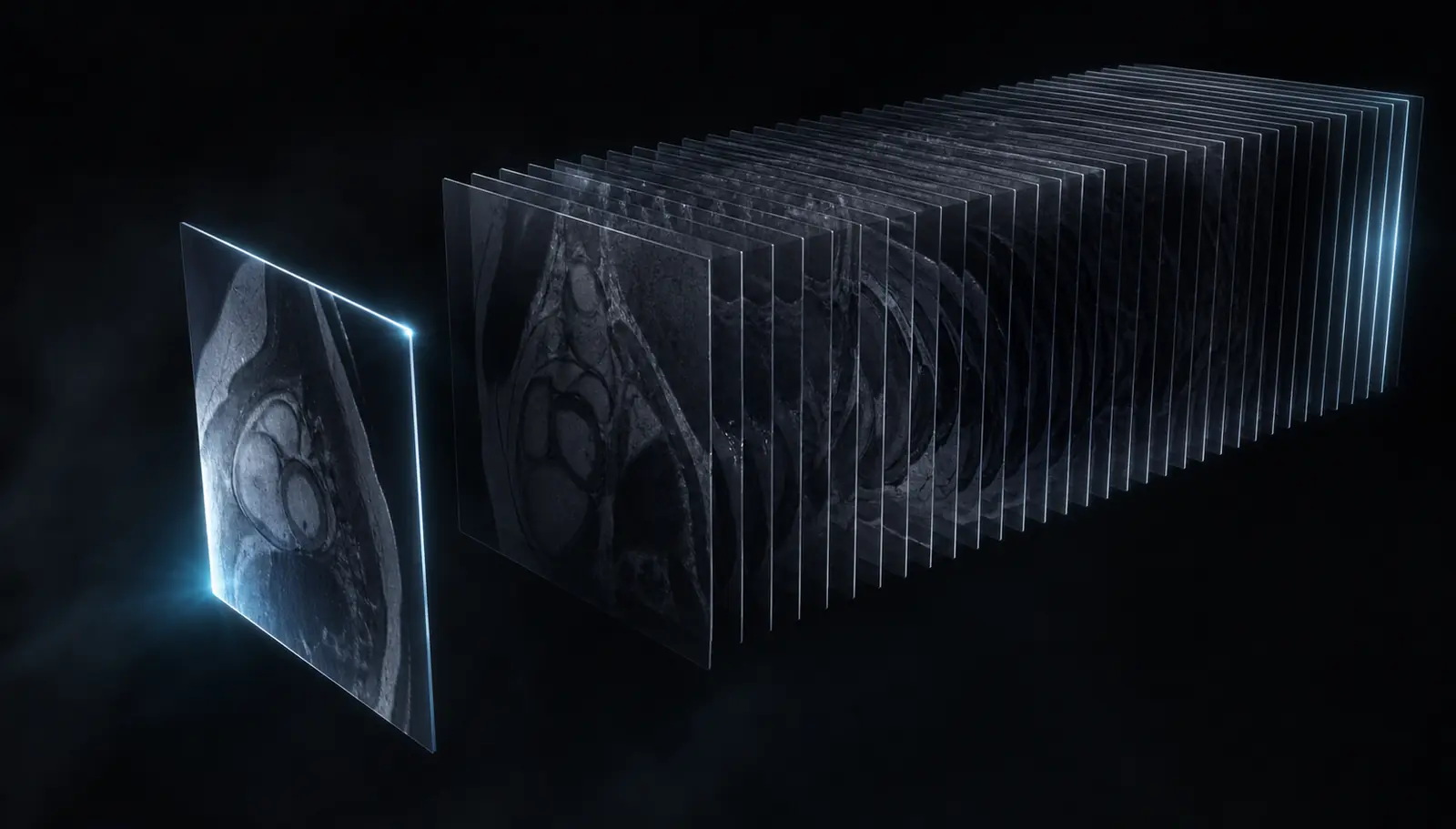
A screenshot captures one frame
The meaning lives across the study.
Neighbouring slices, changing anatomy, and multiple sequences provide the context a single exported image leaves behind.
You already have the scan files. LabLumen helps you take the next step with supported DICOM uploads and analysis options built around a study, so you do not have to assemble your own screenshot-and-prompt workflow.
Built around your scan
Less file preparation. More time understanding your results.
The reason to choose LabLumen is the experience from upload to explanation: a dedicated place for your medical images, with the report structure and study options already in place.
Use your actual scan files
Start with supported DICOM files or a study ZIP from your hospital. LabLumen handles supported image conversion as part of the upload process.
Choose a study-sized review
Select the analysis option that fits your upload, including up to 160 or 300 eligible diagnostic slices. See the reported coverage with your result.
Get structure from the start
Read an AI-generated summary, observations, and study limitations in an organized report. You do not need to invent the right prompt or request each section separately.
What will I get back?
A structured explanation you can work through before or after an appointment. Use it to understand the language and identify points to discuss with your healthcare provider.
Get my scan explainedInside your AI explanation
- Summary
- An overview of the AI's observations.
- Findings
- Organized observations about the submitted images.
- Coverage & limitations
- Context about what was reviewed and the limits of the study.
Report sections shown for illustration, not a patient result.
ChatGPT vs LabLumen for your MRI
ChatGPT can be useful for general questions and report wording. LabLumen is for the next step: bringing your scan files into a dedicated upload-to-explanation workflow.
Start with your hospital files
LabLumen
Upload supported DICOM files directly, including a study ZIP. No manual screenshot conversion for supported files.
ChatGPT
Standard image inputs; DICOM may need extra tools or conversion.
Choose your study coverage
LabLumen
Choose a study analysis option, with coverage of up to 160 or 300 eligible diagnostic slices.
ChatGPT
You supply images and guide the conversation; multiple images are supported.
Get an organized explanation
LabLumen
A scan-focused report with a summary, observations, and study limitations, without writing a custom prompt.
ChatGPT
Can explain and organize information when prompted.
See what was included
LabLumen
Review the reported image coverage and limitations alongside your explanation.
ChatGPT
Coverage depends on the supplied material and tools used.
These are workflow differences, not a claim that LabLumen has higher diagnostic accuracy. Both tools provide AI-generated information and can make mistakes.
From your hospital download to your explanation
1. Add your files
Open medical imaging upload and select your supported scan images or DICOM study. Have a written report instead? Use document upload for a report explanation.
2. Choose your analysis
Review the available study options and credit cost before submitting. Choose the coverage that suits your files.
3. Read your explanation
Work through the summary, observations, and limitations. Keep your radiologist's report alongside it for your conversation with your doctor.
Complete Study Analysis supports up to 160 eligible slices; Extended Study Analysis supports up to 300. Supported formats and slice limits apply. Check your result's included and omitted images; larger studies may not be fully covered.
Can I just upload my MRI to ChatGPT?
You can add standard images to ChatGPT, including multiple images. DICOM is not listed among its standard image formats, so hospital files may require additional tools or conversion. OpenAI also cautions against relying on its image capabilities for specialized medical-image interpretation. See its image input documentation.
If you only need unfamiliar words explained, a written radiology report is a useful starting point. For your actual scan files, LabLumen brings supported DICOM uploads, study coverage options, and structured explanations into one flow.
Just want to open your files first? Try the free DICOM viewer. Viewing is local to your browser and requires no account; AI explanation is a separate upload step.
Frequently asked questions
Can I try MRI analysis for free?
Yes. New accounts receive 10 free credits on signup. Standard Imaging uses 5 credits per analysis and reviews up to 40 representative slices. If used only for Standard Imaging, the signup credits cover two analyses. Deep, Complete, and Extended require more credits; the signup bonus alone does not cover those options.
Why choose LabLumen to help understand my MRI?
LabLumen combines supported DICOM uploads, selectable study coverage, and an organized AI explanation in one workflow. You can start with your hospital scan files and receive a summary, observations, and study limitations without creating a custom prompt. It is designed for educational understanding, not diagnosis.
Can ChatGPT read my MRI scan?
ChatGPT can discuss uploaded images, but that is not a reliable diagnostic reading of an MRI. Use your radiologist's report and healthcare provider for interpretation. AI explanations can be wrong, including when they sound certain.
Can I upload DICOM files to ChatGPT?
DICOM is not listed among ChatGPT's standard image input formats. Additional tools or conversion workflows may handle files differently, but opening a file does not establish that its medical interpretation is accurate. A DICOM viewer is the appropriate starting point for browsing your scan files.
Can ChatGPT explain a written MRI report?
You can ask it to simplify the report's wording and help prepare questions. Keep the original text, ask it to preserve uncertainty, and check its explanation with your healthcare provider. Explaining an existing report is different from independently interpreting scan images.
Can ChatGPT tell me whether my MRI is normal?
Do not use an AI answer to confirm that a scan is normal or to rule out a condition. An AI tool can miss findings or invent them. Ask your healthcare provider to explain the radiologist's conclusion and any recommended follow-up.
Can I view my MRI for free on LabLumen?
Yes. LabLumen's free DICOM viewer opens supported files locally in your browser without an account or scan upload. It displays images; it does not interpret them. AI explanations use a separate upload flow and credits.
Does LabLumen analyze every image in my MRI study?
Not necessarily. Coverage depends on the files you upload, supported formats, and the analysis option. Complete Study Analysis supports up to 160 eligible slices and Extended Study Analysis up to 300. Check the reported coverage and omissions. LabLumen provides educational explanations, not a diagnosis.
Your files. Your next step.
You have the scan. Now make it easier to understand.
Bring your supported MRI files to LabLumen for a structured, plain-language AI explanation, ready to read at your own pace.
Try MRI analysis freeStart with 10 free signup credits. Try Standard Imaging for 5 credits per analysis, or choose a higher-coverage paid option.